The product
Every stage of the method, in one place.
Apex finds what your company offers that is relevant to each deal, then runs the method from first call to next step. Presales staff work their deals, supervisors coach, administrators set it up.
Deal readiness
What you offer that matters to this deal.
Drop the buyer's RFP, emails and call notes on a deal. Apex finds each requirement and pain they raised, checks it against the sources your company has added, and shows the quote behind each answer.
- Each one marked met, partial or gap, with the quote that shows it
- A person confirms each match before it counts
- Each gap is one click from a discovery question, a parked objection or a question for your product team
- A one-page meeting brief to take into the room
Meeting brief
Northwind Example · discovery call
Prepared by Fieldline Example, a field-service software company, from the RFP, 6 emails and 2 sets of call notes
- Schedule jobs across 40 depotsMet
“Customers run up to 120 depots from one schedule.”
Product guide, p. 12
- Work orders from their ERP systemPartial
“ERP work orders import nightly. Live sync is not available yet.”
Integration overview
- Technicians work without signalGap
Ask: Which crews work without signal, and for how long?
Parked objection: “Our technicians won’t use another app.”
For bids
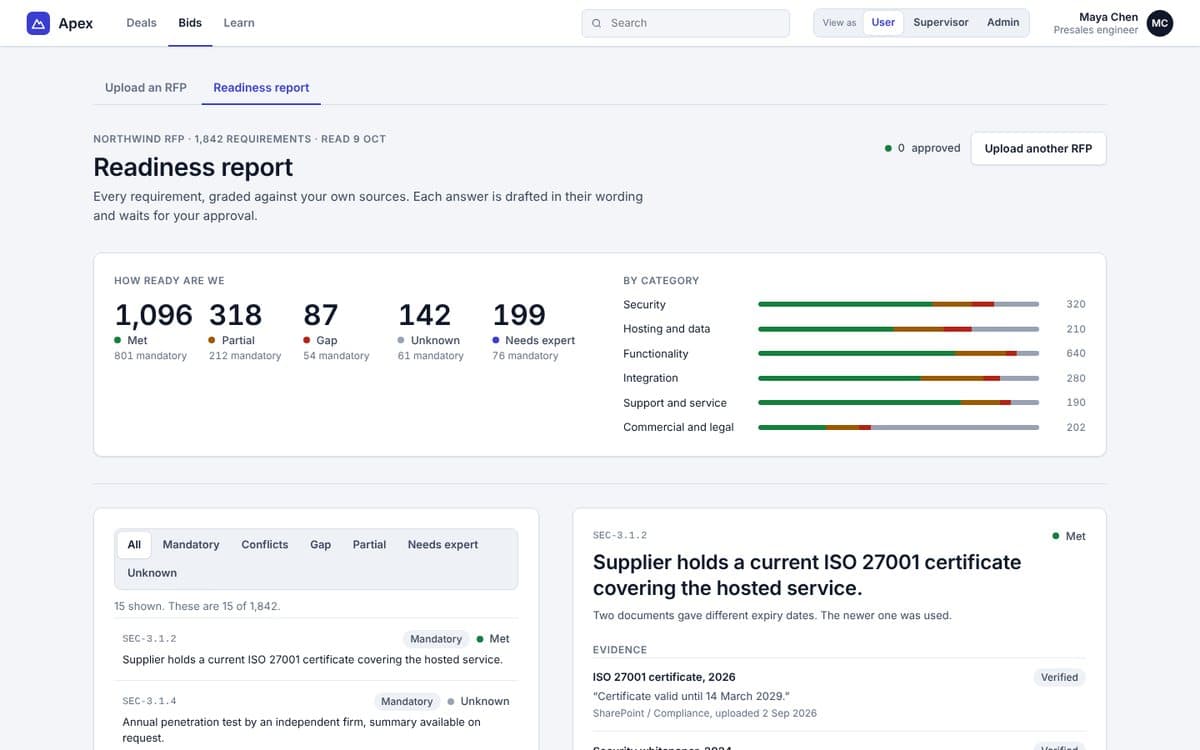
Thousands of requirements, answered with evidence.
Upload the RFP. Apex reads it, matches each requirement to your sources and drafts a response in your buyer's wording.
- Password-protected files, unlocked in an isolated step
- Sources that disagree are shown side by side for a person to settle
- Sensitive categories need a named owner
- A response with an open question cannot be approved
The course
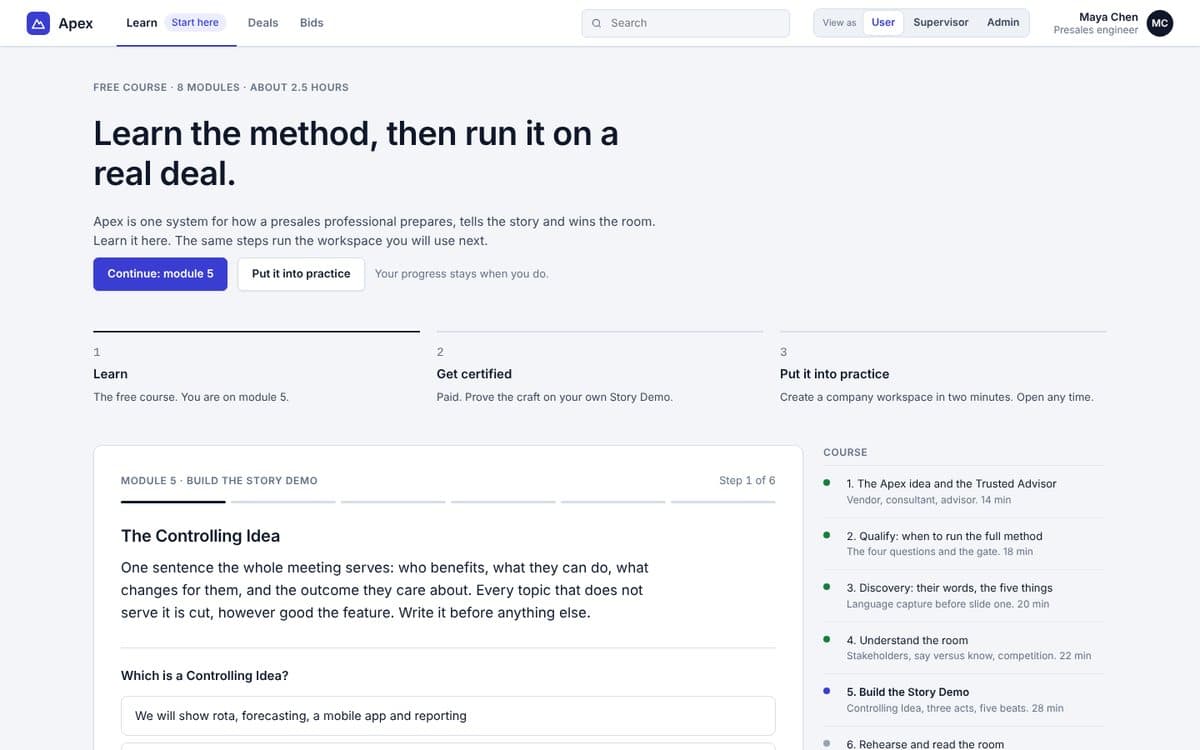
Starts with the course. Then it gets out of the way.
New users land on Learn: a stepped course with a check at every step. After certification, Deals becomes the home screen and Learn moves down the menu.
- Eight modules, each a few minutes
- Practice scripts scored against a rubric
- Certification, with a way to appeal a result
For presales
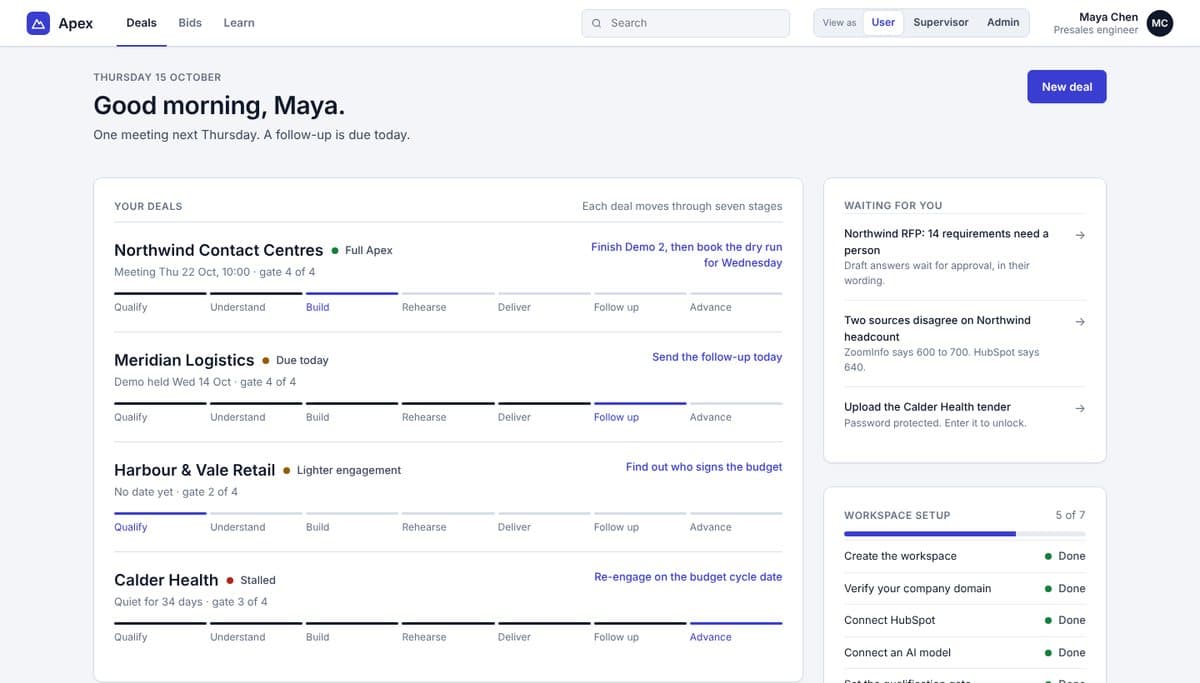
Every deal on the same seven stages.
Each deal shows where it is and what comes next. Open a stage to do the work: qualify with evidence, capture the buyer's words, write and check a Story Demo, rehearse, deliver live, follow up, advance.
- The gate stops weak deals getting full effort
- Live rule checks on every script
- A 24-hour follow-up built from the buyer's words
For supervisors
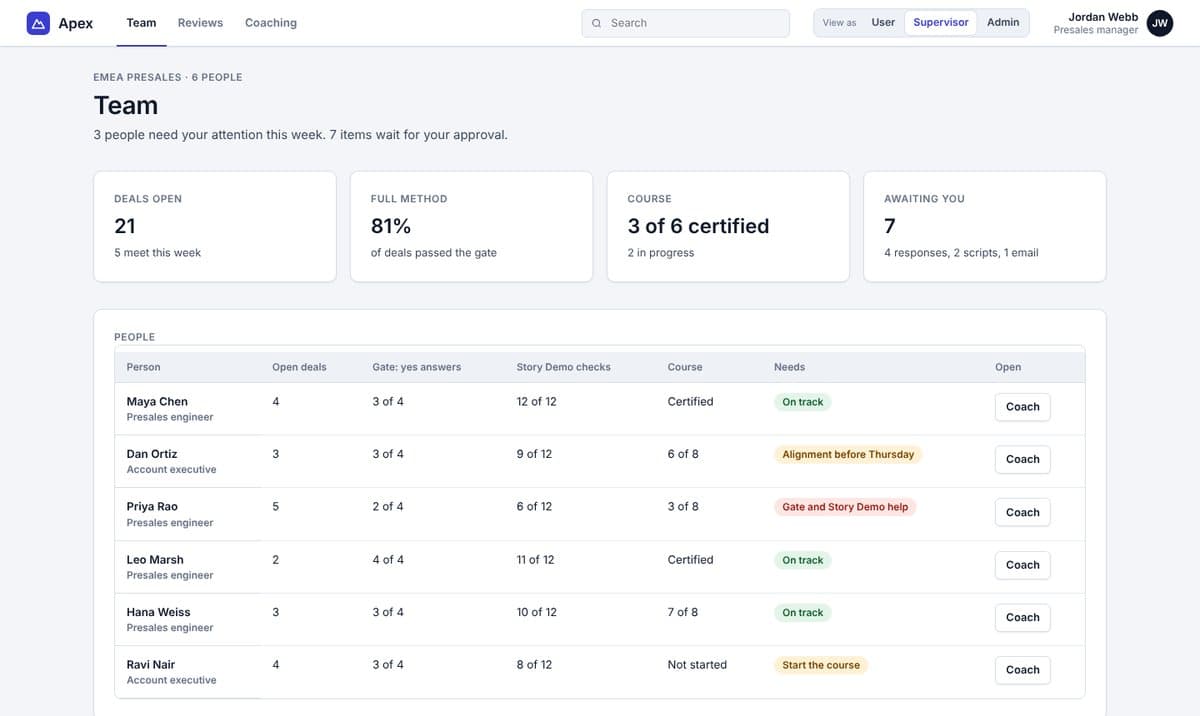
See the team. Coach from facts.
Who is stuck at the gate, whose scripts fail the checks, who has not finished the course. Approve responses and scripts, then assign the one lesson each person needs.
- A review queue with approve and send back
- Where the team loses buyers, by beat and by act
- Learning progress and certification
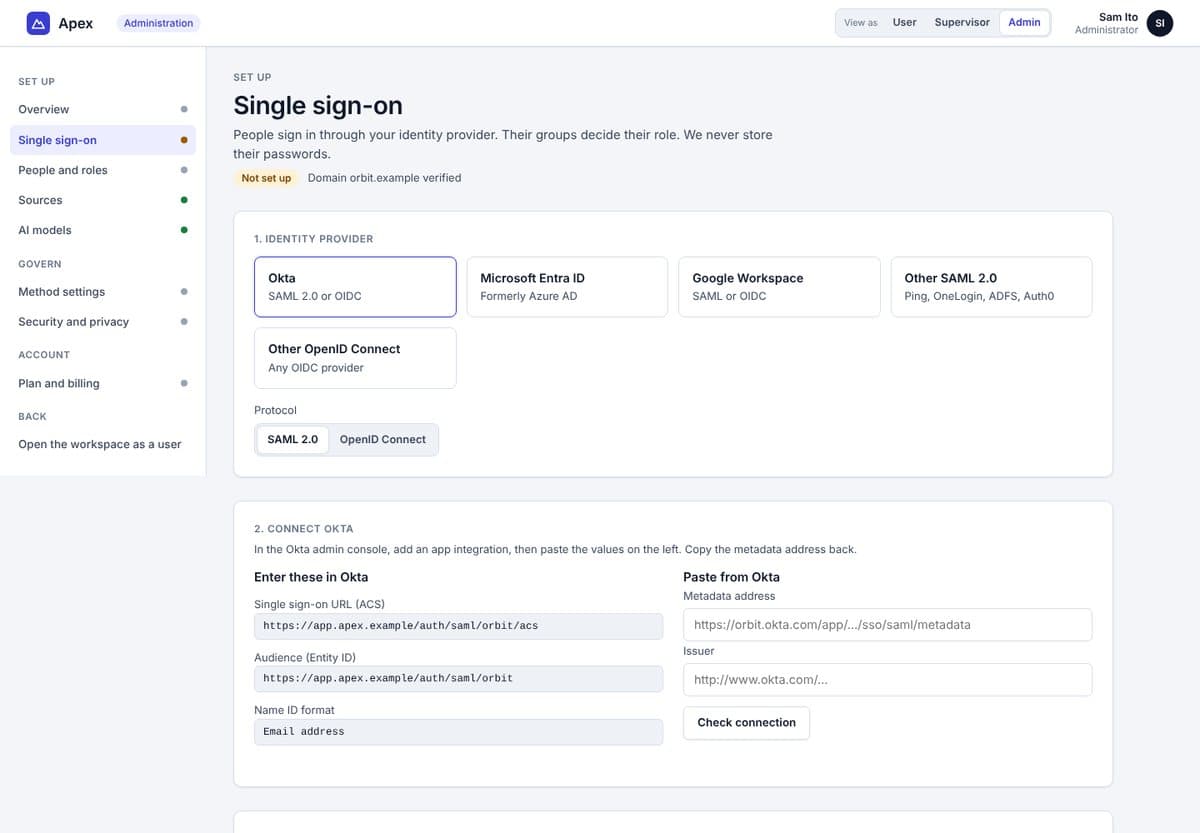
For administrators
Set up in an afternoon. No live onboarding.
A setup checklist walks your admin through sign-in, people, sources, models and rules.
- Single sign-on with Okta, Entra ID, Google, SAML or OpenID Connect
- Groups from your provider set roles
- Your own AI models, tested before use
- Gate threshold, approvals and certification rules
- A data register, staff-access approvals and an audit log
Sources
Connects to where your evidence already lives.
- HubSpot
- Salesforce
- SharePoint
- Google Drive
- Dropbox
- Websites
- G2
- ZoomInfo
Read-only
Apex reads your sources. It does not change them.
Permissions kept
People see only evidence they could open in the source.
Graded by trust
Each source has an evidence class. A public page cannot mark a mandatory item as met on its own.
See it with your own deals.
Start with modules 1 and 2, free. Every app seat and the 14-day team trial include the full course.